
Last Updated: May 2026 | Risk Level: High
Did you know that over half of the links found on unofficial dark web lists lead to websites designed to steal your money or login details? Navigating the Tor network is different from using a standard browser because there is no central authority to verify who owns a specific address. If you click a link that looks correct but is actually a phishing onion site, you might lose access to your accounts or digital currency in seconds.
This guide helps you understand how these fake sites work and how you can keep your data safe while browsing. To fully grasp the environment you are entering, it is helpful to first understand the difference between the surface web and the hidden layers by reading about the dark web vs deep web vs clearnet.
⚡ Quick Answer
A phishing onion site is a fraudulent copy of a legitimate dark web website, created to steal usernames, passwords, or cryptocurrency. These scams happen because users often copy links from unverified sources or search engines. To stay safe, always verify links through a trusted dark web directory 2026 and never type your credentials into a site you haven't double-checked.
What Is Phishing?
Phishing is a type of cyberattack where an attacker impersonates a trustworthy entity to trick a victim into revealing sensitive information—such as passwords, credit card numbers, or cryptocurrency keys. While it is common on the regular internet via email, it takes on a more dangerous form on the dark web due to the lack of regulation.
Why Is Phishing a Problem on the Dark Web?
On the clear web, banks can reverse fraudulent transactions. On the Tor network, transactions are usually irreversible. If you are phished, your funds are likely gone forever. Furthermore, the anonymity of the network means attackers can operate without fear of being identified or shut down.
Objectives of Phishing Attacks
Attackers on the dark web generally have three main goals:
- Credential Harvesting: Stealing login details to access accounts on markets or forums.
- Cryptocurrency Theft: Draining wallets directly by tricking users into sending funds to a fake address.
- Identity Compromise: Linking a user's anonymous persona to their real-world identity (doxing).
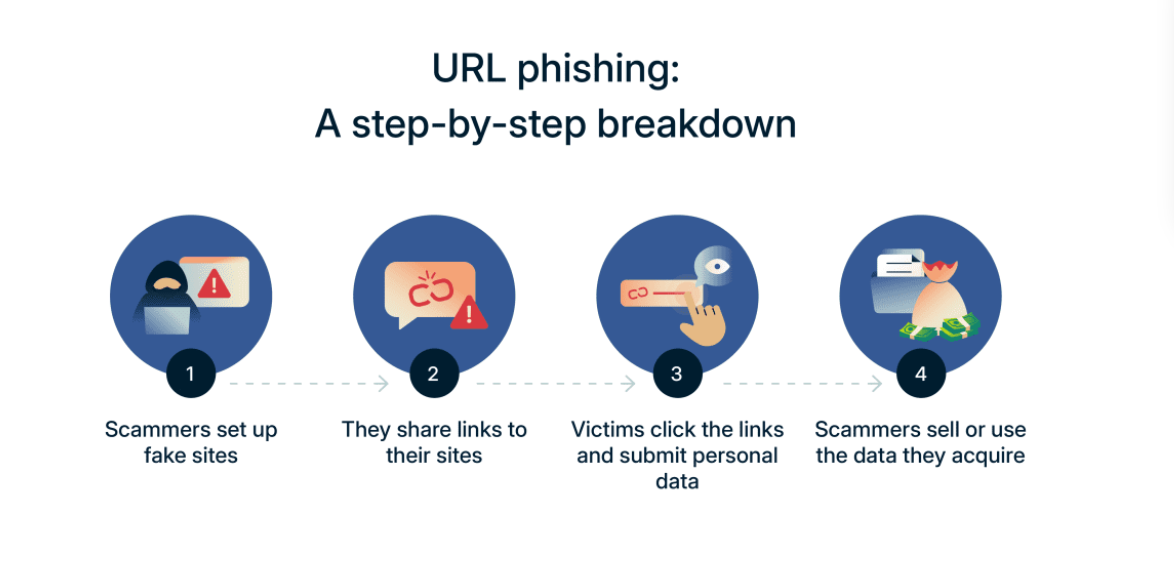
How Does Phishing Work?
- The Hook: The attacker creates a scenario that triggers urgency or fear (e.g., "Your account will be banned").
- The Delivery: The user clicks a malicious link sent via private message or found on a fake directory.
- The Deception: The user lands on a site that looks identical to the legitimate one.
- The Capture: The user enters data, which the attacker immediately uses to breach the real account.
What Is a Phishing Onion Site?
A phishing onion site is the specific execution of a phishing attack within the Tor network. It is a malicious website that mimics a popular service, like a marketplace or a forum. These sites are visual clones—they use the same logos, colors, and layouts as the real platforms.
When you enter your login information, the scammer captures it instantly and logs into the real site to steal your funds or personal data. These sites work through "man-in-the-middle" attacks or simple redirection. Because Tor works differently than the normal internet—read more in our what is Tor how does it work guide—there are no green padlocks or verified certificates to tell you that a site is "official." You must rely on your own verification methods.
Why Phishing Is Common on Tor
- Human Memory: People cannot easily memorize 56-character v3 onion addresses, leading them to rely on "copy and paste" from unreliable lists.
- Lack of Regulation: There is no "Google" of the dark web that removes scam results; fake sites stay active for a long time.
- Anonymous Hosting: Scammers can set up new fake sites in minutes without showing their real identity, making it a low-risk crime for them.
- High Stakes: Since many onion sites deal with cryptocurrency, the financial reward for a successful phish is very high and usually non-reversible.
Where Can Phishing Occur?
Phishing on the dark web isn't limited to email. It happens everywhere:
- Private Messages (PMs): Attackers pose as admins or support staff on forums like Dread.
- Unverified Directories: "Top 10 Market" lists often contain fake links at the top.
- Search Engines: Malicious sites optimize for keywords to appear in Tor search results.
- Vendor Profiles: Scammers clone popular vendor profiles to steal escrow funds.
Understanding URL Phishing
URL phishing is the practice of creating a web address that looks legitimate but directs the victim to a malicious server. On the clear web, this often involves misspelled domain names (e.g., g0ogle.com). On the dark web, URL phishing is more complex due to the nature of .onion addresses.
Types of URL Phishing Attacks
| Attack Type | Description | Danger Level |
|---|---|---|
| Typosquatting | The attacker registers an onion address that differs from the real one by one or two characters. | High |
| Homograph Attack | Using characters that look visually identical but are different code points (e.g., Cyrillic 'а' vs Latin 'a'). | Medium |
| Clipper Malware | Malware that swaps a legitimate crypto address in your clipboard with the scammer's address when you paste. | Very High |
| Clone Phishing | A perfect replica of a legitimate site hosted on a completely different, unrelated onion address. | High |
To understand why the length of these links matters for security, you can read about the differences in our v2 vs v3 onion links guide.
What Techniques Do Phishers Use?
Phishers are psychologists as much as they are hackers. They use specific triggers to bypass your critical thinking:
- Urgency: "Your account has been flagged! Verify within 10 minutes or lose all funds."
- Authority: Posing as "Admin," "Support," or "Security" to demand compliance.
- Fear: Threatening to expose your browsing history or address if you don't pay.
- Greed: Offering "too good to be true" deals or free cryptocurrency to lure you to a login page.
Phishing Site vs. Legitimate Site: Key Differences
Knowing the technical differences between a safe connection and a trap is crucial. Here is a comparison to help you spot the red flags immediately.
| Feature | Legitimate Onion Site | Phishing Onion Site (Scam) |
|---|---|---|
| URL Consistency | Matches the verified link exactly (check first/last 5 chars). | Often has 1-2 characters swapped (e.g., l vs 1, o vs 0). |
| PGP Verification | Provides a valid public PGP key signed by the admin. | Missing PGP key entirely or signature does not match. |
| 2FA Request | Never asks for 2FA code on the login page before the password. | Often asks for 2FA immediately to lock you out of the real account. |
| Connection Errors | Loads reliably via Tor Browser. | May show intermittent connection errors or redirect loops. |
| Source | Found on vetted directories like OnionLinks. | Found on random "Top 10" lists, unverified wikis, or spam bots. |
Real-World URL Phishing Examples
Example A: The "Marketplace Update" Scam
- The Setup: A user receives a message: "Please update your wallet address to the new V3 standard or you will lose access."
- The Trap: The link leads to a perfect clone of the market's login page.
- The Result: The user logs in, giving the scammer their password. The scammer immediately logs into the real market and drains the wallet.
Example B: The "Vendor Verification" Scam
- The Setup: A buyer is told a vendor is moving to a new platform to avoid "exit scams."
- The Trap: The new link looks like the real vendor profile but is actually a phishing onion site.
- The Result: The buyer sends "Direct Payment" (no escrow) to the address listed on the fake site.
How Can I Spot a Phishing Attack Before Clicking?
- Analyze the Context: Did you initiate this interaction? If a "Mod" messages you out of the blue, be suspicious.
- Check the Grammar: Scam messages often have slight spelling errors or awkward phrasing.
- Verify via Secondary Channel: If a "Support" agent messages you, verify their identity on a public forum thread before clicking links in PMs.
- Don't Trust "Official" Claims: Real market admins rarely ask for your password via private message.
5 Common Phishing Onion Site Mistakes
1. Using Wiki Links
Many users click the first link they see on a "hidden wiki." These lists are often edited by scammers who replace real links with their own.
- The Fix: Use a curated and updated dark web directory that is known for its security standards rather than a generic wiki.
2. Ignoring the Address Bar
It is easy to get lazy and not read the full onion address after the page loads.
- The Fix: Always check the first and last five characters of the onion link against your trusted list every single time you visit.
3. Saving Links in Cleartext
Storing your favorite links in a simple notepad file on your computer is risky if you are on a shared network or get malware.
- The Fix: Use an encrypted password manager to store verified onion addresses.
4. Not Using PGP Verification
Many users skip the step of verifying a site's authenticity using its public PGP key.
- The Fix: Learn how PGP encryption works to verify that the site owner is who they say they are.
5. Trusting Search Engine Results
Tor-based search engines are not like Google—they do not filter for scams effectively.
- The Fix: Avoid searching for markets or forums directly. Go to a trusted portal or check the top 3 active Tor markets 2026 list instead.
How Do I Know If I Clicked a Phishing Link?
Sometimes you click before you think. Here are the immediate red flags:
- The URL Changed: You clicked MarketA.onion, but the address bar shows MarketB.onion.
- Login Fails Immediately: You enter your password, and it says "Incorrect," even though you are sure it is right. (This means they just stole your password).
- 2FA Request Too Early: The site asks for your 2FA code on the login page before verifying your password.
- The "Padlock" is Missing: While not all onion sites use HTTPS, a sudden lack of security indicators where there usually were some is a bad sign.
What to Do If You Clicked on a Phishing Link
Time is critical.
- Disconnect Immediately: Unplug your internet or kill the Tor process to stop any data transmission.
- Do Not Enter More Data: If you haven't typed your password yet, close the tab.
- Change Your Password: If you entered credentials, go to the real site (using a trusted bookmark) and change your password immediately.
- Secure Your Funds: If the site was a market or wallet, move your cryptocurrency to a new, secure wallet address immediately.
- Scan for Malware: Run a security scan to ensure you didn't download a clipper or keylogger.
How to Stay Safe From Fake Links & Prevent Phishing
The first step is to establish a "source of truth." Never trust a link sent to you in a private message or found on a random Reddit thread. Find a reputable directory and stick to it.
Next, change your browsing habits. Always assume a link is a phishing onion site until you prove otherwise. You can do this by checking "canary" files or PGP signatures provided by the site. If a site asks for your 2FA (Two-Factor Authentication) code before you have even entered a password, it is almost certainly a scam.
Finally, keep your software updated. The Tor Browser receives frequent security patches that help block known malicious scripts. If you are browsing the deep web or dark web, using the most recent version of your tools is your best defense against technical exploits that scammers use to hide their fake URLs.
Common Problems & Fixes
Problem: The site looks real but my login is not working. Fix: Stop immediately. You likely just gave your password to a phisher. If you have a "master account" elsewhere with the same password, change it now.
Problem: I found a link on a "Top 10" list but my browser says it is down. Fix: This is often a sign of an old or fake directory. Check a modern list of active Tor markets to see if the URL has changed.
Problem: I am confused about the difference between the dark net and the deep web. Fix: Read a guide on 99% of the internet explained to understand where you are browsing and what the risks are in each area.
Safety & Best Practices
The dark web is not inherently "evil," but it is an environment where you are responsible for your own safety. There is no customer support to call if you lose money to a scam. You must be proactive. We recommend reading the DNM Bible to understand the full scope of dark web safety and the myths that often lead beginners into trouble.
Always use a VPN in combination with Tor if you want an extra layer of privacy. Most importantly, never use your real-life identity, email, or username on any onion site. If you treat every site as a potential phishing onion site, you are much more likely to stay safe.
FAQ
Q: How can I tell if an onion link is fake? A: Compare the URL character-by-character with a trusted source. Fake sites often swap 'l' for '1' or 'o' for '0'. If the site does not offer PGP verification for its mirror, it is likely a scam.
Q: Are all dark web directories safe to use? A: No. Many directories are actually "pay-to-play," meaning scammers pay the directory owner to list their phishing links at the top of the page. Only use well-known, community-vetted directories like OnionLinks.
Q: Can the Tor Browser block phishing sites automatically? A: Tor Browser has some built-in protections, but it cannot identify every new phishing onion site because they are created so quickly. Your manual verification is always the most important security layer.
Q: What should I do if I entered my info into a phishing site? A: If the site was a market or forum, immediately try to log into the real site and change your password and move your funds. If you use that password anywhere else, change it on those sites too.
Q: Why do scammers use onion links instead of normal websites? A: Onion links provide anonymity for the scammer, making it nearly impossible for law enforcement to shut the site down or identify who runs it. This lack of accountability is why phishing is so common on the Tor network.