
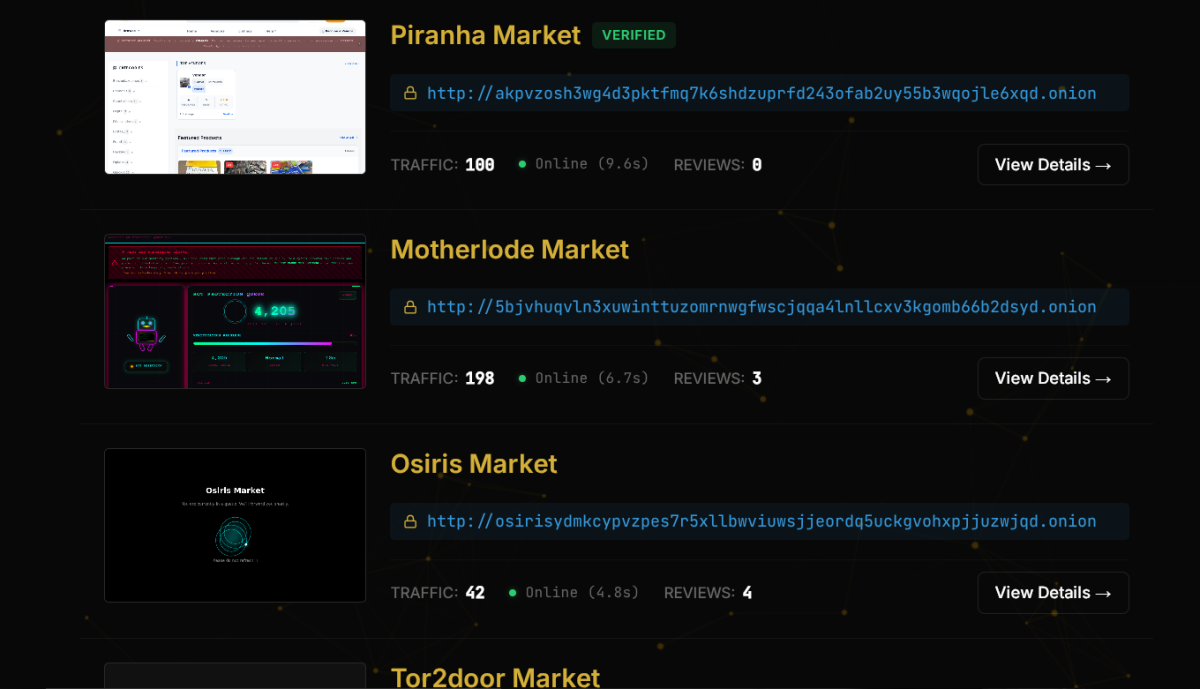
The vast majority of the internet remains invisible to standard search engines like Google or Bing. In fact, the surface web—the part of the internet you access every day—makes up only about 4% to 5% of the total internet. The remaining 95% is made up of the deep web and the dark web, massive layers of data that standard search crawlers simply cannot reach. You might feel overwhelmed when trying to navigate the hidden corners of the web but you are not alone in your curiosity. Accessing these layers is often difficult because onion links change frequently and many directories contain broken or dangerous paths. The landscape is constantly shifting, requiring users to stay updated on the latest access methods and security protocols.
In this guide, you will learn how to find active directories, verify onion links and protect your identity while browsing. We will look at updated categories for 2026 and provide a clear path for beginners to follow. Whether you are a journalist looking for secure communication channels, a privacy advocate, or simply a curious tech enthusiast, understanding the mechanics of this hidden network is essential for safe exploration.
⚡ QUICK ANSWER
To access the 2026 Dark Web Directory safely, use the Tor Browser and a reliable VPN to hide your entry point. The main cause of failed access is using outdated ".onion" links that are no longer active. Always verify links through trusted community aggregators or a verified dark web search engine. The fundamental rule of accessing the dark web in 2026 is layering your security: start with a premium, no-logs VPN, route your traffic through the Tor network, and never deviate from the default security settings of the Tor Browser.
What is the Dark Web Directory (2026)?
A Dark Web Directory is a curated list of websites that end in the ".onion" suffix. Compared to the regular web, these sites are not indexed by traditional bots - users rely on the directories to find content. It is a map for the encrypted part of the internet. Think of it as the "Yellow Pages" of the darknet. Because there is no central domain registry (like ICANN for the surface web), finding a new site without a directory is nearly impossible unless someone directly gives you the link.
People use these lists because finding specific services requires knowing the exact, scrambled address of a site - these directories organize links into categories like forums, email providers and research archives. Using a directory is the most common way to discover new pages without getting lost.
The Evolution of Dark Web Directories
Over the years, directories have evolved from simple, static text files pasted on forums to highly structured, community-moderated platforms. Below is a comparison of how directories have changed over the years leading into 2026:
| Era / Year | Directory Format | Security Features | Link Verification Method |
|---|---|---|---|
| 2010-2015 | Static Wikis (e.g., The Hidden Wiki) | None (Plain HTTP) | Unverified, user-submitted |
| 2016-2020 | Dynamic PHP Sites | Basic HTTPS, Captchas | Manual admin review |
| 2021-2024 | V3 Only Platforms | PGP-signed links, Tor metrics | Community upvotes/downvotes |
| 2025-2026 | AI-Assisted Aggregators | Automated phishing detection | Cross-referenced with multiple dark web search engines |
Types of Dark Web Directories in 2026
Not all directories are created equal. Understanding the differences between them is crucial for your safety:
- General Directories: Broad lists covering everything from email providers to marketplaces.
- Niche Directories: Focused on specific topics like whistleblowing, academic research, or privacy tools.
- Automated Aggregators: Scripts that constantly crawl the Tor network for new .onion addresses and automatically list them (higher risk of phishing).
- Hardcoded/Trusted Lists: Directories maintained by well-known privacy advocates or organizations, often signed with PGP keys to prove authenticity.
Why accessing the Dark Web is difficult
Wrong habits
Many users try to open onion links in standard browsers like Chrome or Safari, which are not built to handle onion routing. Standard browsers do not know how to communicate with the Tor network's entry nodes. When you paste an .onion link into Chrome, the browser tries to resolve it using standard DNS servers, which inherently do not recognize the .onion Top Level Domain (TLD).
Outdated information
Websites on the darknet go offline frequently, meaning lists from even six months ago are often useless. Sites disappear for many reasons: server seizures by law enforcement, voluntary shutdowns by admins, DDoS attacks from rival groups, or simple domain expiration. Furthermore, the Tor Project entirely deprecated V2 .onion addresses (which were 16 characters long) in late 2021. Any directory still listing V2 links is completely obsolete.
Misunderstanding the tech
Some people believe the dark web is just one place, rather than a decentralized network of individual nodes. The dark web is not a physical location or a single server; it is a layered overlay network running on top of the regular internet. If one node goes down, the rest of the network continues to function independently.
External limitations
Slow connection speeds are normal because the Tor network bounces your data through three different global servers to ensure privacy. This process—known as onion routing—intentionally adds latency. Your data is encrypted multiple times and sent through a random path of Entry Node, Middle Node, and Exit Node.
Comparison: Surface Web vs. Dark Web Access
| Feature | Surface Web (Clearnet) | Dark Web (Darknet) |
|---|---|---|
| Address Format | Easy to remember (e.g., google.com) | 56-character alphanumeric string (e.g., xmh57jrzrnw6insl...) |
| DNS Resolution | Standard ICANN DNS servers | Decentralized, handled internally by the Tor network |
| Connection Speed | Fast (Direct fiber/routing) | Slow (Encrypted, bounced through 3+ global nodes) |
| Indexing | Indexed by Google, Bing, etc. | Intentionally hidden; requires directories or word-of-mouth |
| Server Location | Often hosted in commercial data centers | Hidden behind anonymizing proxies, distributed networks |
5 Common Dark Web Directory Mistakes
1. Clicking links from unverified sources
Users often follow links from social media or public forums that lead to phishing sites designed to steal data. In 2026, phishing on the dark web is highly sophisticated. Scammers create exact pixel-perfect clones of popular directories or marketplaces. When you type your credentials into these fake sites, the scammers capture them and immediately try to access your real accounts or crypto wallets.
Fix Use a dark web safety guide to learn how to check the reputation of a directory before clicking. Always look for PGP signatures from the directory's known administrators. If a directory claims to be the "Official Hidden Wiki," verify its PGP key against trusted key servers before interacting with it.
2. Failing to use a VPN with Tor
Your internet provider can see that you are using Tor, even if they cannot see what you are doing - this can sometimes flag your account for investigation. While Tor hides what you are doing, it does not hide the fact that you are connecting to the Tor network. In some countries, simply using Tor is viewed with suspicion, and ISPs may throttle your bandwidth or report the usage to authorities.
Fix Connect to a reputable VPN first then open the Tor Browser to create a double layer of privacy. Your ISP will only see that you connected to a VPN server, not that you subsequently opened Tor.
| VPN Feature Required for Tor | Why It Matters |
|---|---|
| Strict No-Logs Policy | Ensures no record of your Tor usage exists if servers are seized |
| Kill Switch | Prevents your real IP from leaking to your ISP if the VPN drops |
| RAM-Only Servers | Wipes all data upon reboot, leaving no physical trace of your session |
| Obfuscation/Stealth VPN | Hides the fact you are using a VPN from deep packet inspection (DPI) |
3. Keeping the browser window maximized
Websites can use "browser fingerprinting" to determine your screen resolution, which helps identify you among other users. If you maximize the Tor Browser to fit your 4K monitor, your browser fingerprint instantly stands out. The vast majority of Tor users browse with the default, smaller window size. By maximizing it, you make yourself a unique outlier, making it easier for advanced trackers to follow you across different .onion sites.
Fix Keep the Tor Browser window at its default size to blend in with thousands of other anonymous users. Never resize it.
4. Mixing the Dark Web with the Deep Web
Many people confuse private databases with the darknet, leading to safety errors. The deep web includes your online banking portal, your private email inbox, and password-protected university library databases. These require standard logins but are not part of the Tor network. The dark web is a specific subsection of the deep web that requires specific software (like Tor) to access.
Fix Read about the differences in dark web vs deep web to understand where you are browsing.
| Attribute | Deep Web | Dark Web |
|---|---|---|
| Requires Special Software? | No (Standard browser) | Yes (Tor, I2P, Freenet) |
| Content Type | Private databases, medical records, bank accounts | Anonymous forums, unregulated markets, whistleblowing sites |
| Security Risk | Standard clearnet risks (phishing, hacking) | High risks (malware, scams, illegal content exposure) |
| Searchability | Requires specific login credentials | Requires exact .onion links or specialized directories |
5. Trusting every market listing
New users often assume all listed services are functional but many are "exit scams" or fake clones. An exit scam occurs when a marketplace or vendor builds up a good reputation, collects funds from users, and then suddenly disappears with the money. In 2026, automated bots frequently scrape legitimate market directories and create fake clone sites to steal deposits.
Fix Check current status reports on sites like Piranha Market or other active platforms to confirm they are online. Only trust marketplaces that have a long history of consistent uptime and verified community feedback.
How to access verified onion sites (Step-by-Step)
Step 1 - Secure your hardware and connection
Download the official Tor Browser from the Tor Project website. Do not get it from third party sites. Third-party sites often host modified versions of the browser that contain built-in malware or tracking scripts. Connect your VPN to a server in a privacy friendly country to mask your initial connection point.
Advanced Hardware Security: For maximum safety in 2026, consider using a dedicated operating system. Instead of running Tor on your daily-use Windows or macOS machine (which can suffer from memory leaks or background apps exposing your IP), boot into a privacy-focused OS like Tails (The Amnesic Incognito Live System) or Whonix. Tails runs entirely from a USB stick and leaves no trace on your computer once you shut it down.
Step 2 - Locate a verified 2026 directory
Find a reliable entry point - You can use the 99% of the internet explained guide to find reputable starting links. Copy the onion address and paste it directly into the Tor URL bar.
How to verify a link:
- Check if the directory is listed on multiple, unconnected community forums.
- Look for a valid PGP signature on the directory's homepage.
- Use dark web search engines (like Ahmia or Torch) to search for the directory's name and see what the community is saying about it.
Step 3 - Navigate by category
Use the internal search tools within the directory to find what you need. Avoid downloading any files unless you are in a "sandbox" environment, as files can contain tracking scripts.
Dark Web Directory Categories (2026 Update)
Directories in 2026 generally organize links into the following primary categories:
| Category | Description | Risk Level | Example Use Cases |
|---|---|---|---|
| Communication | Secure email, instant messaging | Low | ProtonMail .onion, SecMail |
| Privacy & Security | Tools, encryption software, VPNs | Low | Tor Project mirrors, Privacy guides |
| Research & Archives | Digital libraries, whistleblowing | Low | Sci-Hub, Global Leaks directories |
| Forums & Communities | Discussion boards, tech support | Medium | Dread (Reddit alternative), Hacker forums |
| Financial Services | Crypto tumblers, exchanges | High | Bitcoin mixers, Monero swapping services |
| Marketplaces | E-commerce (legal & illegal goods) | Very High | Varied (high rate of scams and clones) |
Common Problems & Fixes
Problem - The onion link says "Unable to connect"
Fix Check your system clock - If your computer time is wrong, Tor cannot sync with the network. If the time is correct, the site is likely down or moved.
Why does the clock matter? The Tor network relies on precise cryptographic consensus. If your computer's clock is off by even a few minutes, the SSL/TLS certificates used by the Entry and Exit nodes will appear invalid to your browser. The Tor Browser will refuse to connect to prevent potential man-in-the-middle attacks. Always ensure your operating system is set to sync time automatically.
Problem - The page is loading too slowly
Fix Click the "New Circuit for this Site" option in the Tor menu - this moves your connection to a faster set of relays.
Understanding Tor Circuits: Every time you visit a new .onion site, Tor builds a "circuit" (Entry Node -> Middle Node -> Exit Node). If the nodes chosen for your current circuit are overloaded or geographically distant from you, the site will load incredibly slowly. By selecting "New Circuit for this Site," you force Tor to drop the current connection and randomly select three new, hopefully less congested, nodes.
Problem - I am worried my info is already leaked
Fix Use dark web monitoring tools to scan for your email or passwords in known data breaches. If you have used the same password on the clearnet that you accidentally typed on a dark web phishing site, you must assume it is compromised.
| Monitoring Tool Type | What It Does | Recommended Action |
|---|---|---|
| Breach Scanners | Searches known databases for your email/phone | Change passwords immediately if found |
| Dark Web Scanners | Continuously monitors Tor for your specific data | Use services like Have I Been Pwned or premium identity protection |
| Credit Monitors | Alerts you to new accounts opened in your name | Freeze your credit if you suspect deep identity theft |
Safety & Best Practices
- Never use your real name, email or photo on any onion site. Create a completely separate digital identity if you plan to participate in forums. Use a pseudonym that you have never used on the clearnet.
- Disable JavaScript in the Tor Security Level settings (set it to "Safest") to prevent malicious scripts from running. JavaScript is the number one vulnerability on the dark web. It can be used to force your browser to reveal your real IP address or execute malware without your knowledge.
- Cover your webcam with physical tape while browsing as an extra precaution. While browser exploits are rare if you keep JavaScript disabled, physical surveillance via malware (like Remote Access Trojans) is a threat if you accidentally download an infected file.
- Avoid checking your personal bank accounts or social media while the Tor session is active. If you log into your real Facebook or bank account through the Tor browser, you are linking your anonymous Tor activity to your real-world identity, completely defeating the purpose of using the browser.
- Never buy illegal items. This guide is provided for educational, privacy, and research purposes. Engaging in illegal activities not only puts you at risk of prosecution but also funds dangerous criminal enterprises.
Related Guides
To further your understanding of internet privacy and security, explore these related topics:
- Dark Web Directory for Beginners: A foundational guide explaining the basic terminology, how to download the Tor browser, and how to read .onion URLs.
- Common Problems with Darknet Markets: An in-depth look at why markets disappear, how to identify exit scams, and the role of escrow services.
- Best Tools for Identity Protection: Reviews of VPNs, password managers, and encrypted email services to keep your clearnet data safe.
- Deep Web vs Dark Web: A comprehensive breakdown of the differences between private databases and encrypted overlay networks.
- How to Set Up a Tails OS USB: A step-by-step tutorial on creating an amnesic operating system for the ultimate safe browsing experience.
FAQ
Q1 - Is browsing a Dark Web Directory illegal?
In most countries, it is perfectly legal to browse these directories. Visiting certain sites or buying illegal items through links found there is a crime. Use the directory for research and privacy purposes only.
Additional Context: The legality of simply using the Tor browser has been upheld in multiple courts globally. However, border agents in some countries may question you about Tor usage if they search your devices. Furthermore, while browsing a directory is legal, clicking on links that host illegal material (such as certain types of abusive content) can sometimes violate local laws, even if you didn't intentionally seek it out. This is why staying strictly within verified, safe directories is so important.
Q2 - Can I access onion links on my phone?
Yes, you can use the official Tor Browser for Android - For iOS, the Onion Browser is the recommended choice. Always ensure you are using the official apps to avoid malware.
Device Comparison for Tor in 2026:
| Device / OS | Recommended App | Security Limitations |
|---|---|---|
| Android | Tor Browser (Official by Tor Project) | Some custom Android ROMs may have background tracking |
| iOS (iPhone/iPad) | Onion Browser | iOS sandboxing is strong, but Apple restricts some network APIs, making Tor slightly less configurable than on Android |
| Desktop (Windows/Mac) | Tor Browser | Higher risk of background apps leaking data compared to a Live USB |
| Desktop (Tails Linux) | Built-in Tor System | Most secure option; routes all system traffic through Tor, amnesic |
Q3 - Why do onion links look like random gibberish?
Onion addresses are cryptographic keys - They are designed this way so that the network can verify the site's identity without a central registry. V3 addresses are 56 characters long for improved security.
Technical Explanation: A V3 .onion address is essentially the first 32 bytes of the public key of the server's onion service, encoded in Base32. When you connect to that gibberish address, your Tor client uses that public key to establish a secure, encrypted connection and mathematically verify that you are talking to the exact server that holds the matching private key. There is no "Domain Registrar" that can be hacked or subpoenaed to take down the domain or find out who owns it.
Q4 - How do I know if a directory link is a scam?
Check the link against multiple sources - If only one directory lists a specific site, be careful. Cross referencing links is the best way to ensure you are visiting a real destination.
Red Flags of a Scam Directory:
- No PGP Signature: Legitimate directory maintainers almost always sign their sites.
- Too Many Ads: Excessive pop-ups or ads for sketchy VPNs/crypto schemes are a sign of a low-quality, profit-driven directory.
- Broken English: Poorly translated text with heavy grammatical errors often indicates a quickly thrown-together phishing site.
- Asks for Login to View Links: A legitimate directory does not need your username or password just to show you a list of links.
Conclusion
Finding a reliable Dark Web Directory in 2026 requires patience and the right tools. Many users fail because they use old links or forget basic security steps like hiding their IP address. The landscape of the hidden web is not static; it is a highly volatile environment where links die, directories change hands, and threats evolve constantly. Relying on outdated information from years past is the quickest way to compromise your digital security or fall victim to a phishing scam.
By following this guide and using verified links, you can explore the hidden web safely. Remember that the core principles of dark web navigation are anonymity, skepticism, and compartmentalization. Always use a VPN, keep your browser window at the default size, set your security level to "Safest," and never bridge your real-world identity with your dark web browsing session. Stay curious but always prioritize your digital security. The dark web holds immense value for privacy advocates, researchers, and those living under oppressive regimes, but only for those who approach it with the respect and caution it demands.